How to Reset or Change Spotify Password (Simple Step-by-Step Guide)
Locked out of Spotify mid-playlist is its own special kind of annoying. Good news: fixing it takes about two minutes, whether you’re changing a password you already know or recovering an account you’ve forgotten your way into.
Reset spotify password means requesting a new one via email when you’re locked out, while changing your password means updating it while you’re still logged in. They’re two different flows inside Spotify, and mixing them up is the #1 reason people get stuck.
[IMAGE: Screenshot of Spotify’s “Forgot your password?” screen on the login page]
If You’re Locked Out: How to Reset Spotify Password
This is for anyone who typed their password wrong a few times and just wants back in.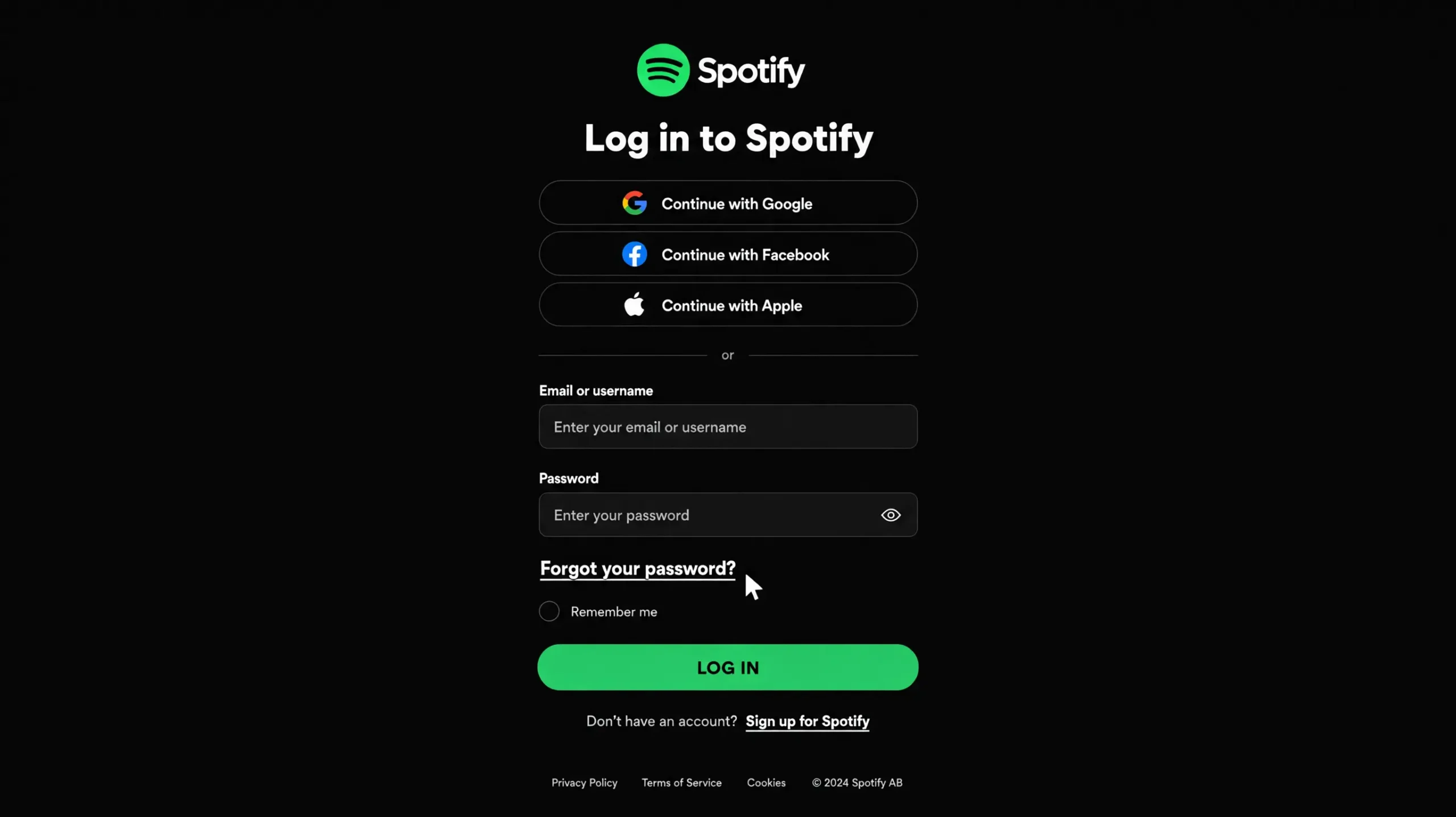
To reset a forgotten Spotify password, follow these steps: 1. Go to the password reset page in a browser. 2. Enter the email or username on your account. 3. Open the email Spotify sends and click the reset link. 4. Set a new password and confirm it.
That’s it. No app download, no support ticket — just your inbox.
A few details make this smoother, though. According to Spotify’s own support documentation, the reset link works whether you signed up with an email, phone number, Apple ID, or Google account — you just need access to whatever email is tied to that Spotify account, since signing up with a Facebook, Apple, or Google account still ties back to an email address you’ll need for recovery. And that reset link is only valid for two hours before it expires, so don’t sit on it.
Quick note: this has to happen in a browser. Password reset on Spotify doesn’t work directly inside the desktop or mobile app — you’ll get redirected to a browser tab regardless of where you started.
Spotify Support — Reset Password
If You’re Already Logged In: How to Change Your Spotify Password
Different situation, different fix. If you can already open your account and just want a stronger or different password:
- Go to your Spotify account page in a browser.
- Under Security and privacy, select Change password.
- Enter your current password, then your new one — twice.
- Click Set new password to confirm.
Short version: no email trip needed here. You’re already verified just by being logged in.
New Spotify passwords need to hit a minimum bar. Per Hideez’s 2026 password-recovery guide, Spotify requires at least 10 characters, including one letter and one number or special character. A password manager like NordPass or 1Password will generate and store one for you so you’re not reusing the same six characters from 2019.
Why This Happens With Google, Facebook, or Apple Sign-In
Here’s the thing most guides skip entirely: if you’ve only ever logged into Spotify through “Continue with Google” (or Facebook or Apple), you may never have set a Spotify password in the first place. There’s nothing to “remember” because it doesn’t exist yet.
Social login accounts vs. email accounts: social-login accounts authenticate through the third-party provider and often have no Spotify password on file, while email accounts have a password stored directly with Spotify from signup. The fix for social accounts is the same reset flow — it just creates a password instead of replacing one.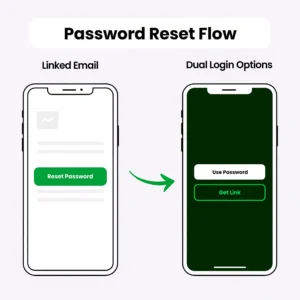
Once you run the reset using the Google or Facebook email linked to your account, Spotify generates a password for you. After that you can log in either way — through Google, or with your email and the new password directly.
[IMAGE: Diagram showing “Reset via linked email → password created → can now log in two ways”]
Quick Comparison
| Situation | Best For | Key Benefit | Limitation |
|---|---|---|---|
| Change password (logged in) | Routine security updates | Fast, no email step | Requires knowing current password |
| Reset password (locked out) | Forgotten password, suspected breach | Works without current password | Needs access to linked email, 2-hour link |
| Social login reset | Google/Facebook/Apple-only accounts | Creates a password that didn’t exist | Extra step of linking a new sign-in method |
Reset vs. change, in one line: reset is for when you can’t get in at all; change is for when you can, and just want something different.
When the Reset Email Never Shows Up
I’ve seen conflicting advice on this — some guides tell you to just “wait a few minutes,” others jump straight to contacting support. My read: check spam first, then try alternate emails, and only escalate if neither works.
Realistically, three things cause this:
Your reset email landed in spam or a promotions tab — check there before anything else. You might be entering an email you no longer use; try any other address you’ve ever signed up with, since Spotify supports email, phone, Apple, and Google as sign-up methods. Or you’ve requested too many resets too quickly, which triggers a temporary rate limit — if you’ve tried resetting your password multiple times in a short period, wait a bit or switch to a different device or browser.
If none of that works and you’ve genuinely lost access to the linked email, Spotify’s account recovery form is the next step, and you’ll need details like your username or payment method on hand to verify ownership.
If Your Reset Link Doesn’t Work
One more snag worth flagging: an “invalid link” error usually isn’t actually about the password — it means the link should be opened in a private or incognito browser window instead, particularly if you’ve already tried it once in your regular browser.
That single fix resolves this more often than people expect.
Voice Search Q&A
Q: How do I reset my Spotify password if I forgot it? A: Go to Spotify’s password reset page, enter your email or username, then follow the link Spotify emails you within two hours.
Q: What’s the best way to change my Spotify password on my phone? A: Open a browser (not the app), go to your account page, and use Change Password under Security and Privacy.
Q: Should I reset my Spotify password if I think it was hacked? A: Yes — reset immediately, then check linked devices and connected apps under account security.
Q: Why does Spotify say my email isn’t found during reset? A: You’re likely using an email different from the one on file; try other addresses you’ve used, including ones tied to Google or Facebook sign-in.
Q: When should I use incognito mode for the reset link? A: When the link shows as “invalid” or won’t load — this usually fixes it instantly.
What This Guide Doesn’t Cover
This walks through standard password recovery and updates. It does not cover full account recovery when you’ve lost access to both your password and your linked email — that requires Spotify’s dedicated support form and identity verification, which is a separate (slower) process.
If you suspect unauthorized access — logins from unfamiliar devices, playlists you didn’t create — a password reset is step one, but you should also review connected apps and active sessions from your account’s security settings afterward.
This works best if you still have access to your account’s linked email. It won’t help if that email itself has been compromised — in that case, go straight to Spotify’s account recovery support.